.svg)
.svg)

.svg)
.svg)

Copied to Clipboard

Ready to get Started?


Managing finances effectively is crucial for any business. Playroll is happy to announce our latest feature, designed specifically to streamline customized invoicing. But what does this mean for your company, and how can it enhance your financial management?
Customized Invoice Management
Imagine this: instead of a single, bulky invoice for all your employees, you now have the option to receive multiple, neatly organized invoices either by team or by territory. How does this work? Let's dive in.
Utilize our app's team feature to group employees into distinct teams. These can be based on project, department, or any other internal structuring.
Territories Covered: Options include various global regions such as South Africa, United Kingdom, France, etc., allowing for geographical financial management.
Why This Matters: This feature is a direct response to multiple client requests for more granular control over invoice management.
Why the popularity? Because it simplifies data segmentation and departmental budget reporting, making life easier for companies that operate across diverse teams or territories.

Enhanced Financial Clarity
The ability to segment costs per team or territory is a game-changer. It flows seamlessly into more accurate reporting and budgeting, providing a clear financial picture for different departments or regions.
Who Benefits the Most?
Primarily, our clients with a vast employee base spread across multiple teams or territories will find this feature invaluable. More specifically, billing contacts at these organizations will rejoice at the simplified invoice management process.
Accessing the Simplified Invoicing Feature
So, how can you start reaping the benefits of this innovative feature? Here’s a quick guide:
1. Request Access: The billing contact needs to request access through their Customer Success Manager (CSM).
2. Receive and Manage Invoices: Once access is granted, multiple invoices per team or territory will be emailed monthly to the billing contacts.
3. Download and Organize: Access these invoices easily by clicking the three dots on the right side of the row in the app and downloading a consolidated file.

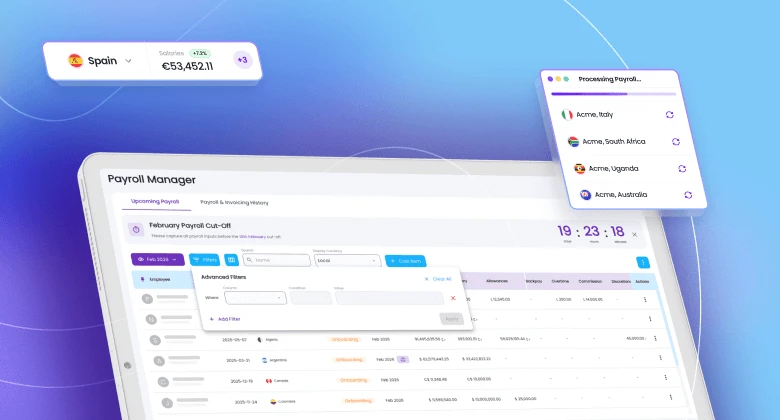
This is where you will see an example of how the invoices are displayed in the app, providing a clear, user-friendly interface for your financial management needs.
By embracing this feature, your company can achieve not just financial accuracy, but also a heightened level of organizational efficiency.
Welcome to the future of invoice management!

ABOUT THE AUTHOR
Julienne Raboca
Julienne C. Raboca supports Playroll's marketing and content team. She is currently completing the Erasmus Mundus Master's in Journalism, Media and Globalisation (2022-2024) with a specialisation in Business & Innovation from City, University of London. Originally from the Philippines, Julienne spent more than 10 years in Hong Kong working in publishing and marketing communications across industry sectors from finance and pharma to wellness. From 2018 to 2019, she became an Atlas Corps fellow where she trained in Washington D.C. and New York as one of the cohort's international leaders in the non-profit sector. Julienne's work has appeared in Vice Media, U.S. News & World Report and Travel & Leisure among others.
Streamline Your Financial Tracking and Reporting With Invoice Customization FAQs
Why is invoice customization useful for global operations?

.png)
Customization helps invoices meet local formatting and tax information requirements while keeping core billing data consistent across customers and regions.
Which fields should always appear on compliant invoices?
Compliant invoices generally include supplier and buyer details, invoice date and number, itemized amounts, and applicable tax information.
How does standardized invoice data improve reporting?
Standardized fields improve reporting by enabling cleaner categorization, faster reconciliation, and fewer manual corrections during month-end close.
Can invoice templates support multiple tax regimes?
Yes, templates can support multiple regimes when tax fields are configurable by jurisdiction and backed by clear validation rules.
What controls reduce invoice disputes and rework?
Use approval workflows, version history, and immutable invoice numbering to reduce disputes and keep an auditable trail of changes.

Back to Top
.svg)







.svg)